








As an Amazon Associate I earn from qualifying purchases.
Quick answer: our top pick is ASUS TUF Gaming VG27UQ1A (27 inches · 4K · 160 Hz · HDMI 2.1).
Best monitor for GTA 6 on Xbox? Series X and Series S need different things
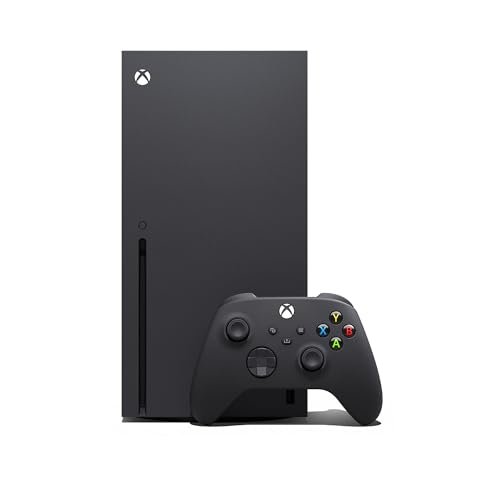
For Xbox Series X, a 4K monitor with HDMI 2.1 is the best fit. For Series S, a 1440p monitor is enough. The two consoles have different limits, so there's no single screen for everyone.
You fire up GTA 6 in the evening and the picture looks soft, or the console keeps dropping to a lower refresh rate. Usually the monitor isn't the problem. The cause is the port or a resolution the console can't use anyway.
If you have a Series X and want a sharp picture with room for other games, look for 4K with HDMI 2.1. If you have a Series S, don't pay extra for 4K, because that console outputs 1440p at most.
The game has been on sale since November 19, 2026 on PlayStation 5 and Xbox Series X|S, so you can choose a monitor based on how it actually runs on these consoles.

What GTA 6 looks like on Xbox Series X and Series S
According to Digital Foundry's analysis, on Xbox Series X the game targets 30 frames per second at an internal resolution of around 1440p. Rockstar hasn't announced a 60 fps mode, as reported by Tom's Hardware.
In practice, a high screen refresh rate won't make the game itself faster. A 120 Hz or 160 Hz monitor will show GTA 6 just as smoothly as a 60 Hz one, because the console sends 30 frames either way.
So why 4K? A 1440p image scales up to 4K without trouble, and a 4K screen is useful for other games, movies and shows. Series S runs GTA 6 at a lower resolution than Series X, so with it 4K gives you nothing over 1440p.
We picked monitors by one criterion: whether they match what the console can do. That means 4K with HDMI 2.1 for Series X, or 1440p for Series S and cheaper setups.
Monitors for GTA 6 on Xbox we recommend
1. ASUS TUF Gaming VG27UQ1A
27 inches · 4K · 160 Hz · HDMI 2.1
4K monitor with HDMI 2.1, so the Xbox Series X can send it a 4K picture at up to 120 Hz. A sensible pick when your console and PC need to share one screen.
HDMI 2.1, VRR, and HDR explained
Before you buy anything, check three things in the monitor's specs:
- HDMI 2.1 port: plain "HDMI" isn't enough, because version 2.0 tops out at 60 Hz at 4K.
- 4K and 120 Hz in the same mode: some monitors split them into separate modes, so check what refresh rate you get at 4K.
- VRR support: it helps when your frame rate bounces around.
HDMI 2.1 simply means a wider "pipe" between the console and the screen. Only with it will the Xbox Series X send a 4K image at 120 Hz. A 4K monitor will still work over HDMI 2.0, but it will get 60 Hz at most. That's fine for GTA 6 at 30 frames, but it may not be for other games.
VRR lets the monitor match its refresh rate to the number of frames the console is sending. When a game slows down for a moment, the picture doesn't tear or stutter. In a game with bigger frame rate drops, it makes a real difference.
Fun fact: The Xbox Series X supports games running at up to 120 frames per second.
HDR makes the bright and dark parts of a scene look more natural, like city lights at night. The Xbox Series X supports HDR, but the result depends on the monitor. Cheaper models with an HDR logo often show it pretty poorly, so don't make it your main reason to buy.
On the 1440p side, things are simpler. A 1440p monitor with VRR and a decent refresh rate is a good match for the Series S, and a sensible option for the Series X if you don't care about 4K. Pick the model that fits your console and budget, not the one with the longest list of specs.
In short: for the Series X, get a 4K monitor with HDMI 2.1 and VRR. For the Series S, get a 1440p monitor, because a higher resolution won't change anything on that console.
Monitor or TV
A monitor works well when you play at a desk, sit close, and want the same screen to serve your computer too.
Fun fact: GTA 6 on the Series S outputs 1080p and drops frames more often than on the Series X (Digital Foundry analysis, as reported by VGC).
Frequently asked questions about a monitor for GTA 6 on Xbox
Which monitor for GTA 6 on Xbox Series X?
Ideally a 4K monitor with HDMI 2.1 and VRR. That way the console can send a 4K image even at 120 Hz, which helps in other games. If you don't need 4K, a 1440p monitor is enough too.
Do you need a 4K monitor for GTA 6 on Xbox?
No. On the Series X the game targets around 1440p, and the Series S outputs 1440p at most. A 4K monitor mainly makes sense if you also want to use it for other games, movies, or a computer.
Is a 1440p monitor enough for the Xbox Series S?
Yes, it's a good match. The Series S outputs 1440p at most, so a higher-resolution monitor won't show more detail. It's worth getting one with VRR, because this console has bigger frame rate drops in GTA 6.
Do you need HDMI 2.1 for the Xbox Series X?
For 4K at 120 Hz, yes. Over HDMI 2.0, a 4K monitor will get 60 Hz at most. It isn't necessary for GTA 6 alone at 30 frames, but if you're buying a new monitor, it's better to have some headroom.
Will a 144 Hz monitor make GTA 6 faster?
No. The game runs at 30 frames, so a high refresh rate won't speed it up. Such monitors are useful in other games and on a computer, and in GTA 6 it's mainly VRR that helps.
See also
- Best battery for Xbox controller for GTA 6 - Play and Charge or AA batteries
- Best Controller for GTA 6 on Xbox Series X and S - Standard, Elite or Wired
- Best Headset for GTA 6 on Xbox Series X and S - Wireless Xbox or Wired
- Best External Drive for Xbox Series X and S - USB 3.0, 128 GB Minimum and What About GTA 6
Sources
- Rockstar Games: Grand Theft Auto VI - manufacturer page (rockstargames.com)
- Xbox: Xbox Series X - manufacturer page (xbox.com)
- Digital Citizen: GTA 6 runs at 30 FPS on Xbox Series X - industry article (digitalcitizen.life)
- VGC: GTA 6 Xbox Series S performance analysis - industry article (videogameschronicle.com)
- RTINGS: The best monitors for Xbox Series X|S - industry article (rtings.com)
- Technobezz: Best monitors for Xbox Series X - industry article (technobezz.com)
- DisplayNinja: Best gaming monitors for PS5 and Xbox Series X - industry article (displayninja.com)

Leave a comment
This site is protected by hCaptcha and the hCaptcha Privacy Policy and Terms of Service apply.